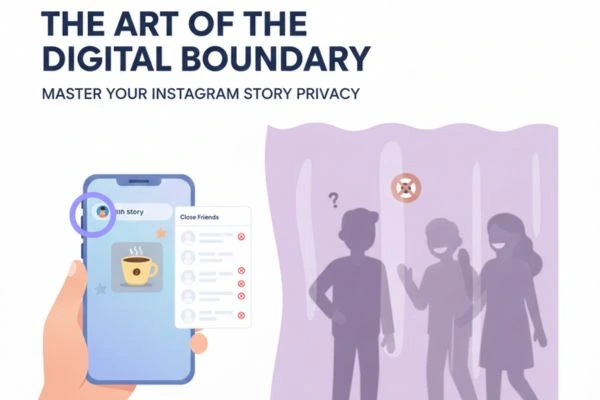

How to hide your own Instagram stories from specific people?
November 26, 2025
Direct to Consumer Agency for High-Impact Brand Growth
December 4, 2025
Instagram Stories remain one of the most powerful tools for creators seeking to expand their reach, boost engagement, and strengthen their personal or business brand. To stay competitive in an increasingly saturated creator economy, mastering advanced Story techniques is essential. Below, we uncover expert-level Instagram Story tricks that empower creators to captivate audiences, keep viewers watching longer, and drive consistent results.
Why Instagram Story Mastery Matters for Modern Creators
Instagram Stories command billions of views daily, offering an immersive, short-form experience ideal for driving interaction. Stories appear at the top of the app, remain front-and-center for 24 hours, and offer features that photos and feed videos cannot match—quick interactions, real-time updates, deep engagement, and high shareability.
Creators who optimize their Story strategy enjoy:
- Higher engagement rates
- More loyal followers
- Stronger brand recognition
- Increased conversions
- More visibility in Instagram’s algorithm
Leveraging the right Story tools and techniques ensures that audiences not only watch but engage, respond, and return for more.
Advanced Instagram Story Tricks Every Creator Should Be Using
1. Use Layered Text Techniques for Stunning Visual Impact
Text is more than words on a screen—it’s a design tool. By using Instagram’s native options skillfully, creators can produce visually striking Stories.
Pro Text Tricks:
- Shadow text effect:
Duplicate your text in black, place it behind the main text slightly offset to create depth. - Gradient overlays:
Select the color picker, then long-press on a color to unlock the gradient tool. - Multi-layer titles:
Stack multiple text versions in varied sizes and opacities for a professional editorial look.
These techniques enhance readability and add polished design elements without requiring external apps.
2. Master Instagram’s Hidden Color Palette and Tools
Most creators only use Instagram’s basic color bar, but the app contains hidden features that unlock unlimited creativity.
Pro Color Hacks:
- Custom color creation:
Use the eyedropper tool to match any color from your photo or video. - Full-screen color fill:
Tap the pen tool, select a color, then long-press the screen for an instant background fill. - Transparent overlays:
Select the highlighter tool and long-press to add a translucent color layer that maintains visibility while adding style.
This expands your creative toolkit and helps build consistent branding across your content.
3. Utilize Stickers Strategically to Increase Engagement
Instagram’s stickers can dramatically enhance your Story performance—when used intentionally.
Top Engagement-Boosting Stickers:
- Polls: Simple, high-engagement choices that encourage interaction.
- Question box: Drives DMs, boosts algorithm signals, and builds community.
- Link sticker: Converts traffic directly to websites, products, or other profiles.
- Countdowns: Perfect for product launches or announcements.
- Quiz stickers: Gamify your content to keep viewers engaged longer.
Use stickers sparingly but strategically to keep Stories clean yet interactive.
4. Use Music and Audio to Elevate Emotion and Retention
Sound dramatically increases retention. Adding the right track transforms an average Story into a memorable one.
Creator Audio Tips:
- Choose trending sounds to boost algorithm visibility.
- Use subtle background music for talking Stories to maintain clarity.
- Sync text animations to beat drops for advanced design aesthetics.
- Save favorite audio tracks to build a consistent brand audio identity.
High-quality audio enhances mood and storytelling power.
5. Create Seamless Story Sequences for Professional Narrative Flow
Great creators don’t post isolated Stories—they craft narratives.
How to Build Seamless Story Sequences:
- Use consistent color schemes and fonts across frames.
- Keep text placement in the same position from slide to slide.
- Use transitions like hand movements or panning shots to connect videos.
- Tell stories in chapters: intro → value → CTA.
Seamless sequences increase watch time and make content feel intentional.
6. Leverage the Power of Templates for Faster, Branded Stories
Templates streamline content creation while maintaining professional consistency.
Where to Use Templates:
- Announcements
- Tips or educational carousels
- Product showcases
- Quote slides
- Influencer collaborations
Use tools like Canva, Adobe Express, or Instagram’s native template features for instant polish.
7. Add Animated Elements to Boost Visual Interest
Animation captures attention far more than static content.
Ways to Incorporate Motion:
- Use GIFs strategically (avoid clutter)
- Layer multiple animated stickers
- Add animated text backgrounds
- Use movement in transitions (swipe up, swipe right footage)
The goal is to maintain viewer curiosity with dynamic visuals.
8. Use Instagram’s Green Screen for Storytelling and Tutorials
The green screen tool is a hidden gem for creators who want to deliver educational or commentary content.
Green Screen Uses:
- Reacting to news or posts
- Explaining step-by-step tutorials
- Sharing product reviews
- Presenting educational content
This feature adds credibility and improves clarity for informational Stories.
9. Boost Discoverability with Hashtags and Location Tags
Stories don’t rely only on follower reach—Instagram allows discovery through locations and hashtags.
Best Practices:
- Use 1–3 relevant hashtags per Story
- Hide hashtags behind stickers or colors for a clean look
- Always add location tag when relevant to attract local discovery
- Use branded hashtags sparingly but consistently
This boosts reach without cluttering your design.
10. Analyze Story Performance with Instagram Insights
Top creators make decisions based on data, not guesswork.
Important Metrics to Monitor:
- Forward taps (engaging content)
- Back taps (highly engaging content)
- Exits (content drop-off)
- Replies (community building)
- Link taps (conversion strength)
Regular analytics review ensures you understand what your audience wants—and what they’re ignoring.
11. Use Story Highlights as a Branding Showcase
Highlights turn temporary Stories into permanent, curated portfolios.
Highlight Optimization Tips:
- Organize highlights by themes: tutorials, reviews, Q&A, travel, etc.
- Use branded highlight covers for a cohesive aesthetic.
- Keep only high-quality Stories—avoid clutter.
Highlights act as mini landing pages for new visitors.
12. Utilize Collaboration Tools to Amplify Reach
Instagram’s collaboration features enable creators to tap into new audiences instantly.
Powerful Collaboration Methods:
- Co-author Story posts
- Use DM me stickers to encourage conversation
- Encourage followers to share your content in their own Stories
- Partner with brands or other creators for shared Story campaigns
Collaborations multiply your exposure and build credibility.
13. Use Advanced Editing Apps to Elevate Story Production
While Instagram’s tools are powerful, professional creators often enhance Stories using external apps.
Recommended Apps for Next-Level Stories:
- CapCut – cinematic transitions, filters, and effects
- InShot – video editing and canvas adjustments
- Mojo – animated Story templates
- VSCO – premium filters and editing tools
- Unfold – minimalistic, elegant Story layouts
Combining Instagram tools with external apps gives Stories a polished, professional look.
14. Add Clear CTAs to Drive Meaningful Action
Stories without CTAs are a wasted opportunity.
Effective CTA Examples:
- “Tap the link to learn more”
- “Vote in the poll above”
- “DM me for details”
- “Share this Story if you agree”
- “Hold to read”
Clear instructions dramatically increase engagement and conversions.
Final Thoughts: Elevate Your Instagram Story Strategy Today
Instagram Stories give creators an extraordinary opportunity to build community, drive branding, and stand out in a competitive digital world. By mastering layered visuals, strategic engagement tools, audio, templates, analytics, and advanced editing techniques, any creator can transform their Story content into a powerful engine for growth.
Stay consistent, experiment often, and always refine your strategy based on audience behavior. With these advanced Story tricks, you’re ready to outshine competitors and captivate your viewers like never before.